

HubSpot Customer Lifecycle
Automation Architecture
Complete Subscriber → Lead → Customer journey. Marketing nurturing inside HubSpot, purchase confirmation via Zapier. No false positives, clean lifecycle separation.

Complete HubSpot Automation Campaign
Subscriber acquisition → lead nurturing → Zapier-powered customer conversion
📌 Overview
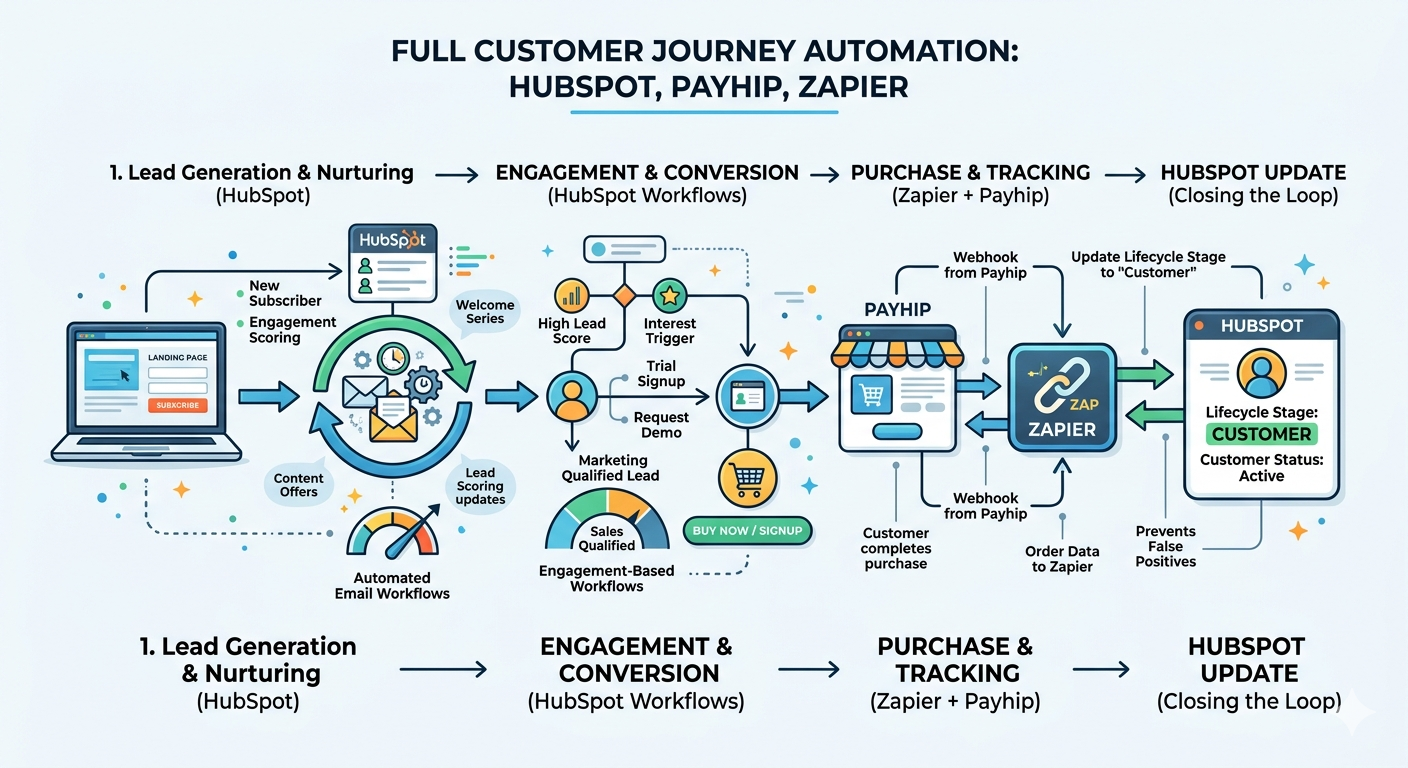
This project demonstrates a full customer journey automation built in HubSpot, starting from subscriber acquisition and nurturing, and ending with customer conversion tracked externally via Zapier + Payhip. Workflows manage lead scoring (engagement-based), while purchase events are handled through Zapier to update lifecycle stages to “Customer” without false positives.
🛠️ Tools Used
- HubSpot – Forms, Workflows, Lifecycle Stages, Email Marketing, Segmentation
- Zapier – Integration between Payhip (payment platform) and HubSpot
- Payhip – Course checkout & payment gateway
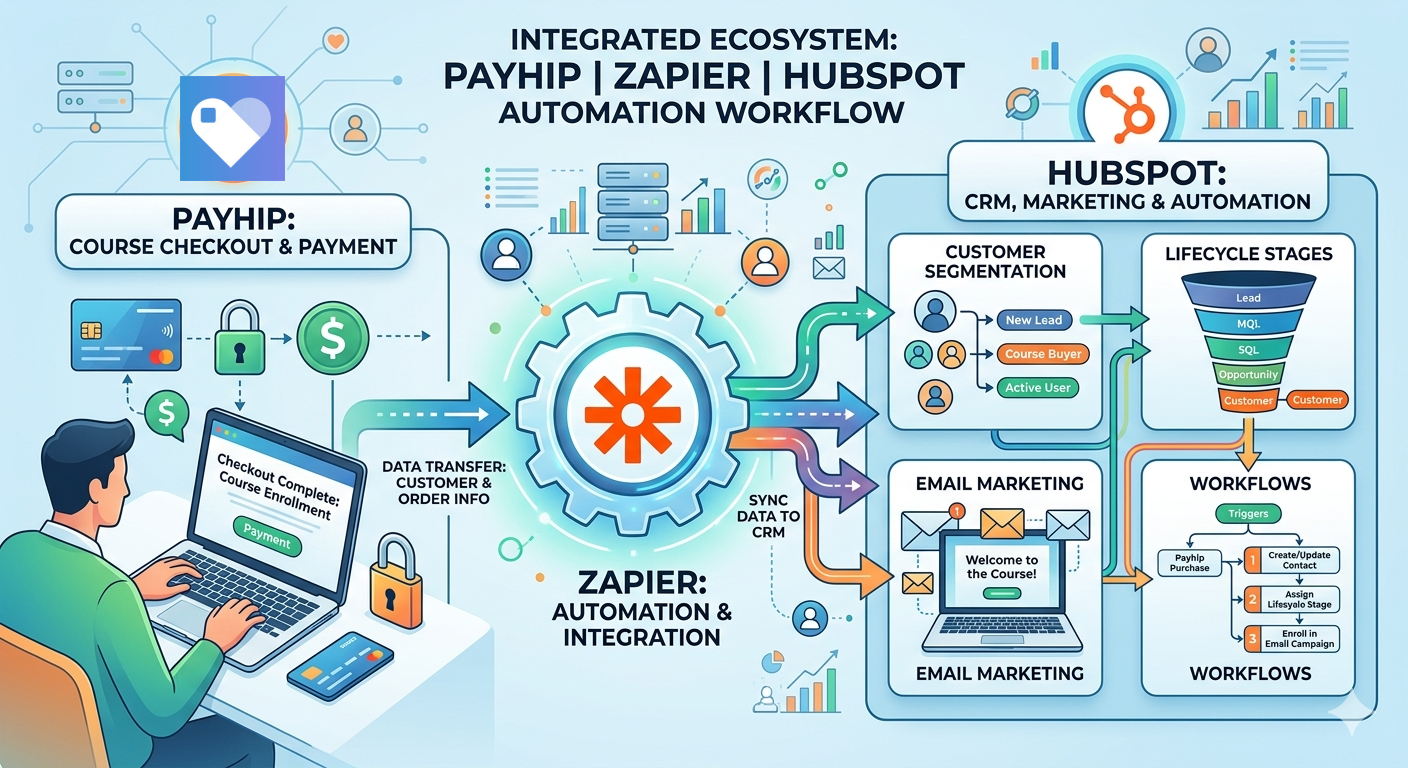
Workflow Architecture
📧 A. Subscriber Workflow (Marketing Funnel – HubSpot Only)
- Trigger: Form submission (subscription form)
- Set Lifecycle Stage → Subscriber
- Send Welcome email
- Delay (nurturing period)
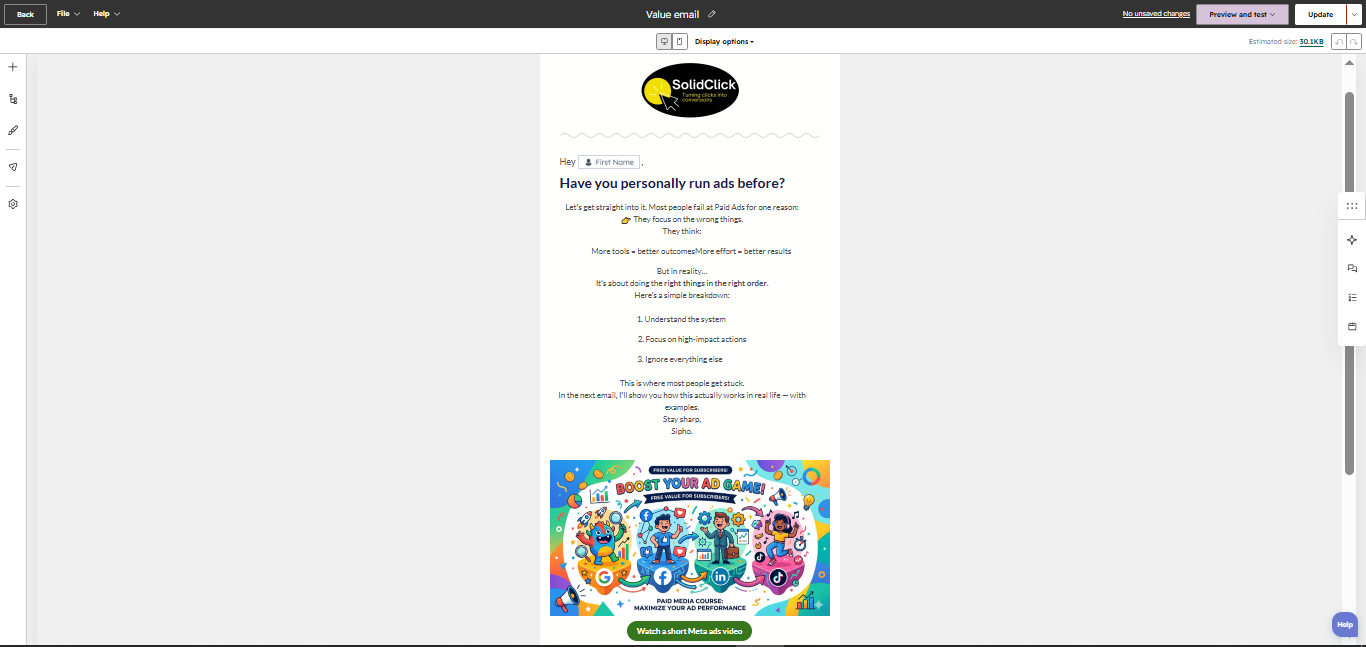
- Send Value email (contains YouTube link)
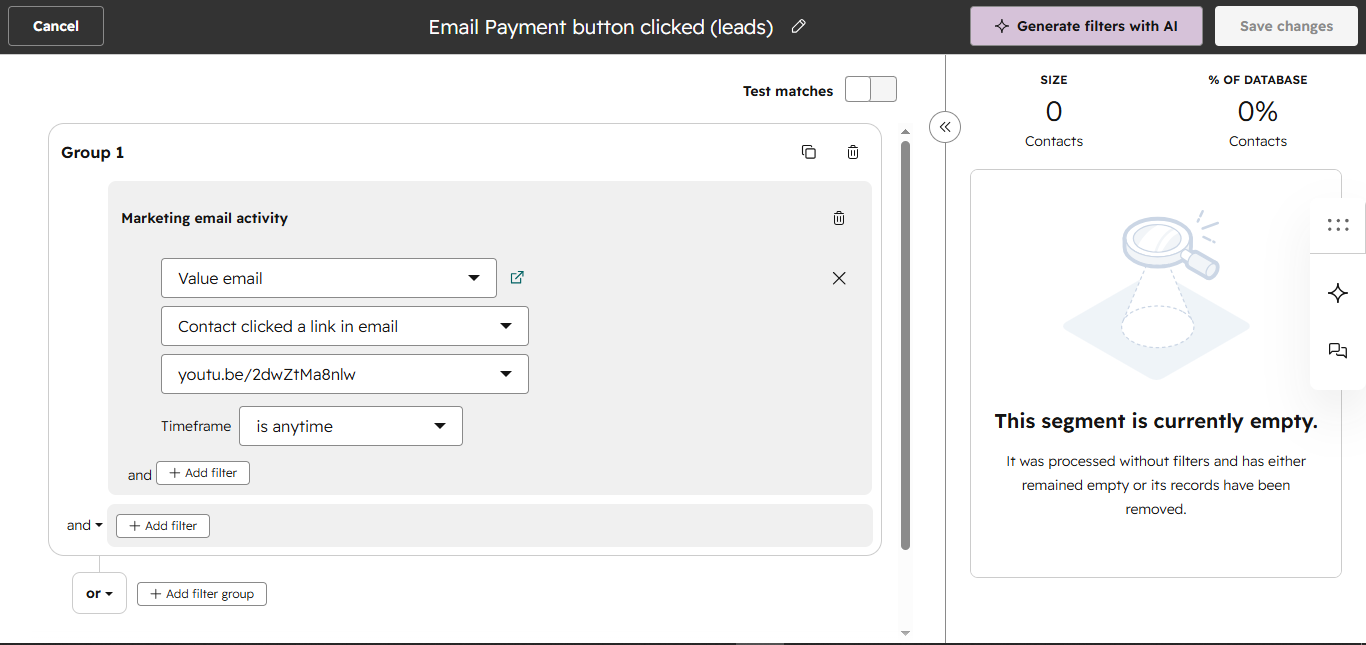
- Condition: Track link click (youtu.be/2dwZtMa8nlw)
- If clicked → Update Lifecycle Stage to Lead → add to static segment
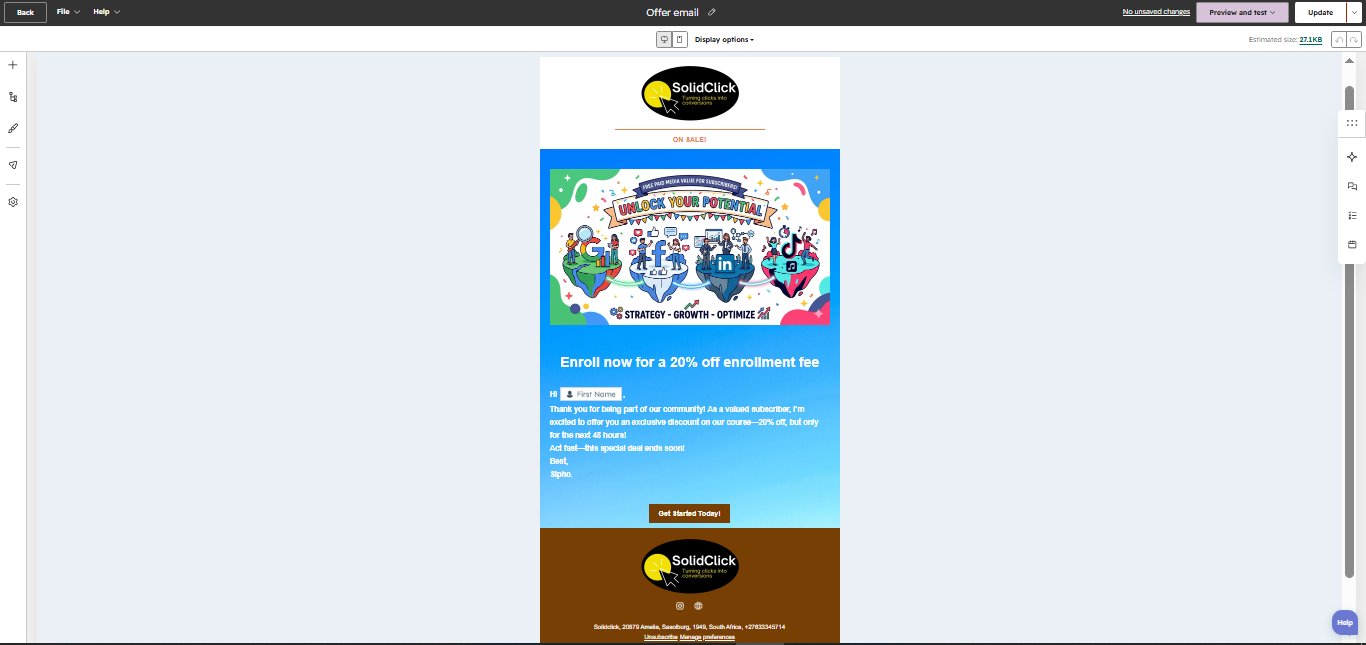
- Delay → Send Offer email (CTA leads to Payhip checkout)
⚠️ This workflow is purely for nurturing & engagement. It does NOT track purchases because conversions happen outside HubSpot (on Payhip).
.png)
.png)
.png)
.png)
.png)
🔍 B. Lead Tracking Logic
Leads are defined based on engagement (email link click). No additional forms are used. Tracking is done via email interaction – when a subscriber clicks the YouTube link inside the Value email, lifecycle stage automatically moves to Lead and contact is added to static segment “Email Payment button clicked (leads)”.
.png)
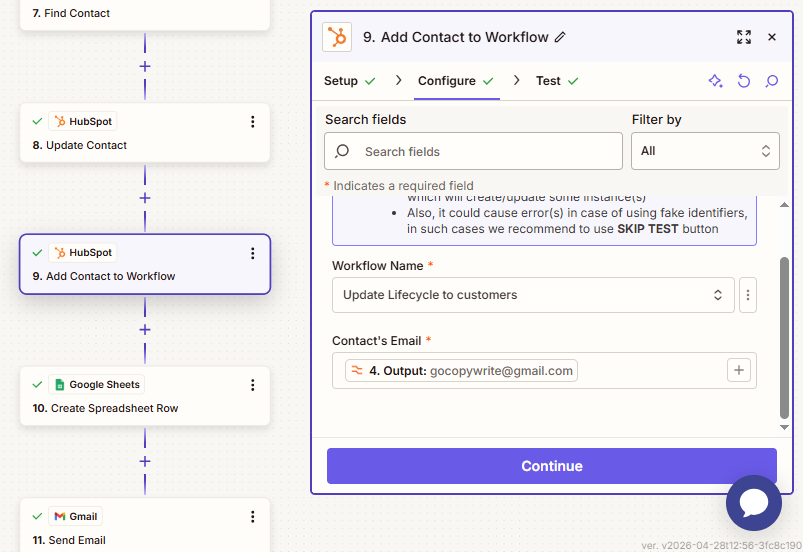
⚡ C. Customer Workflow (Conversion Tracking – Zapier Driven)
Trigger: Zapier sends data after successful Payhip purchase.
Action: Update Lifecycle Stage to Customer (workflow).
No emails sent – only CRM update.
Zapier acts as the bridge between Payhip and HubSpot, ensuring that only real purchases update the Customer lifecycle stage.
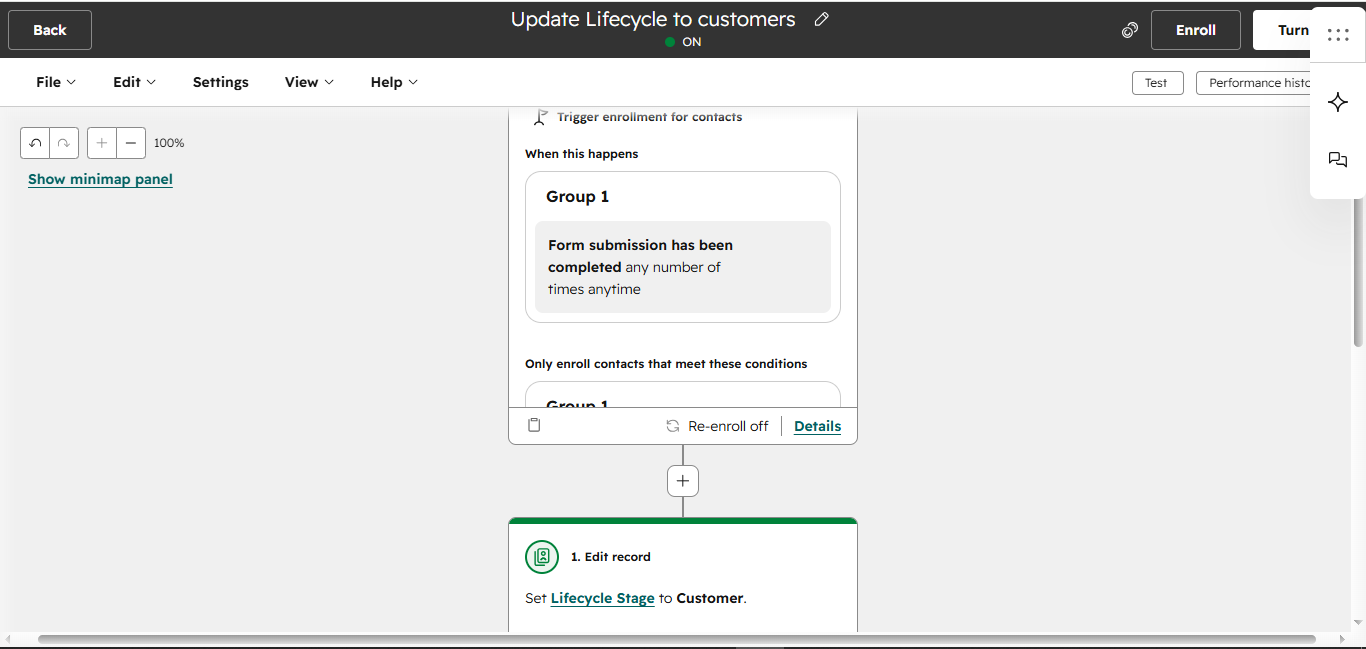
Lifecycle Stages (Subscriber → Lead → Customer)
📊 Lifecycle Stage Definitions
- Subscriber – Form submission, initial awareness
- Lead – Engaged (clicked YouTube link inside Value email)
- Customer – Completed Payhip purchase (via Zapier)
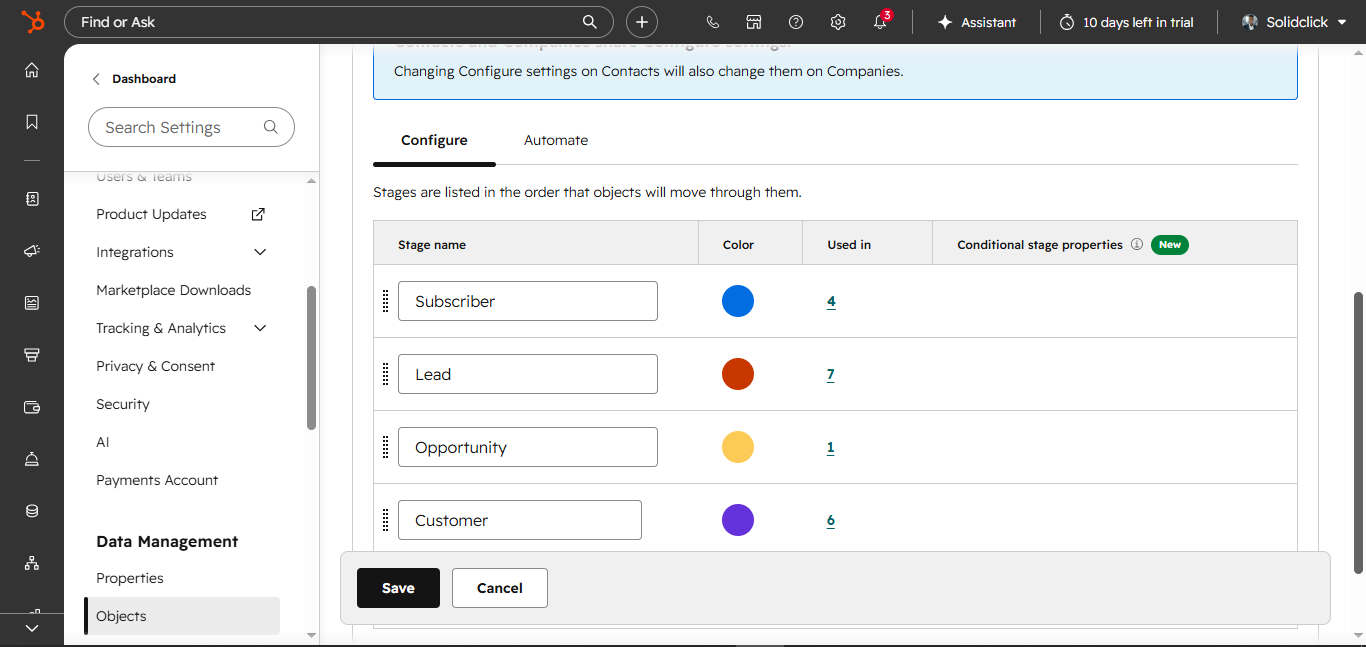
🔁 Lifecycle Update Rules
No assumptions about conversion inside HubSpot workflows. Marketing workflow never sets "Customer" stage. Only Zapier-driven workflow updates to Customer after successful payment.
Data Tracking & Attribution
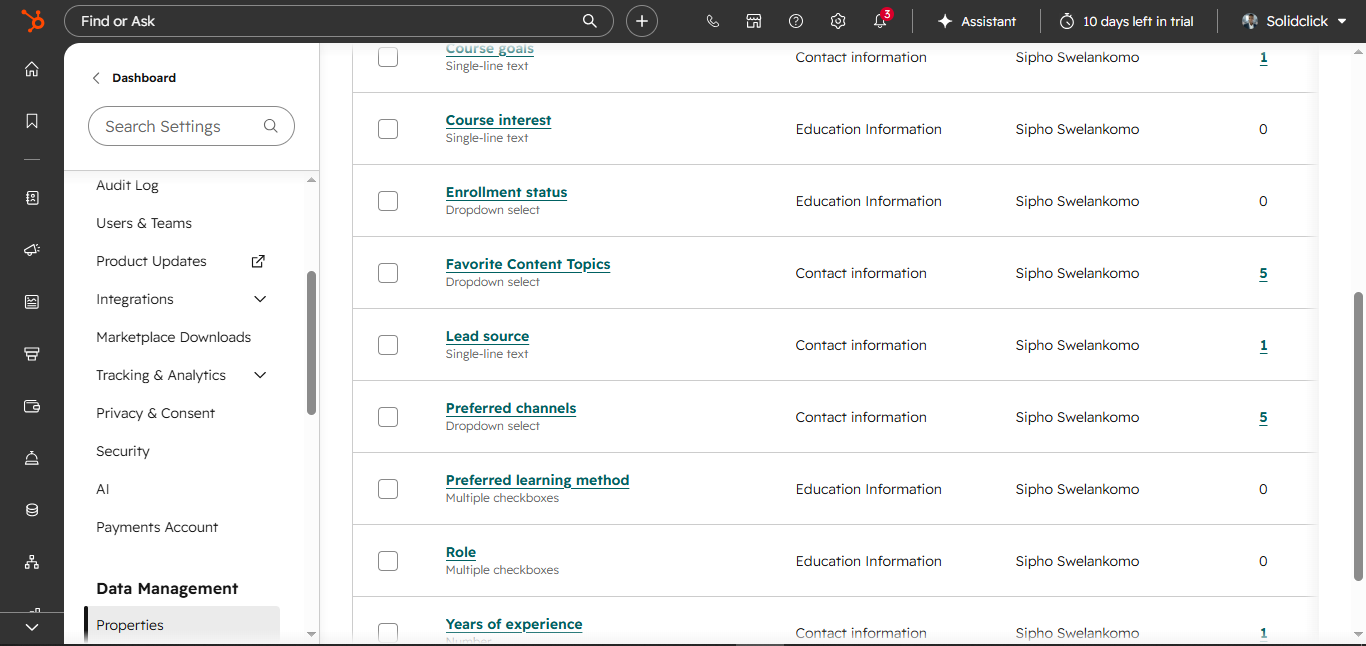
📝 Hidden Field & Lead Source
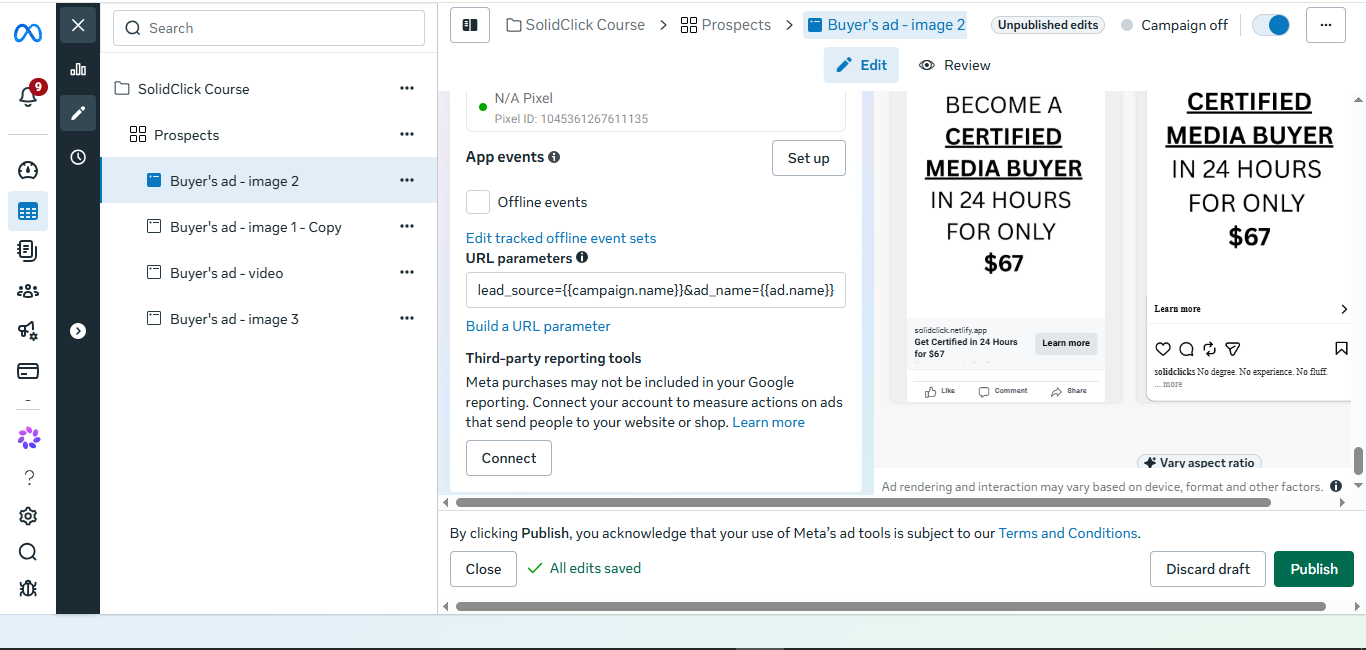
Custom property “Lead Source” connected to a hidden field in HubSpot form. Captures traffic source dynamically via URL parameters (e.g., lead_source={{campaign.name}}&ad_name={{ad.name}}&utm_medium=paid_social&utm_source=facebook).
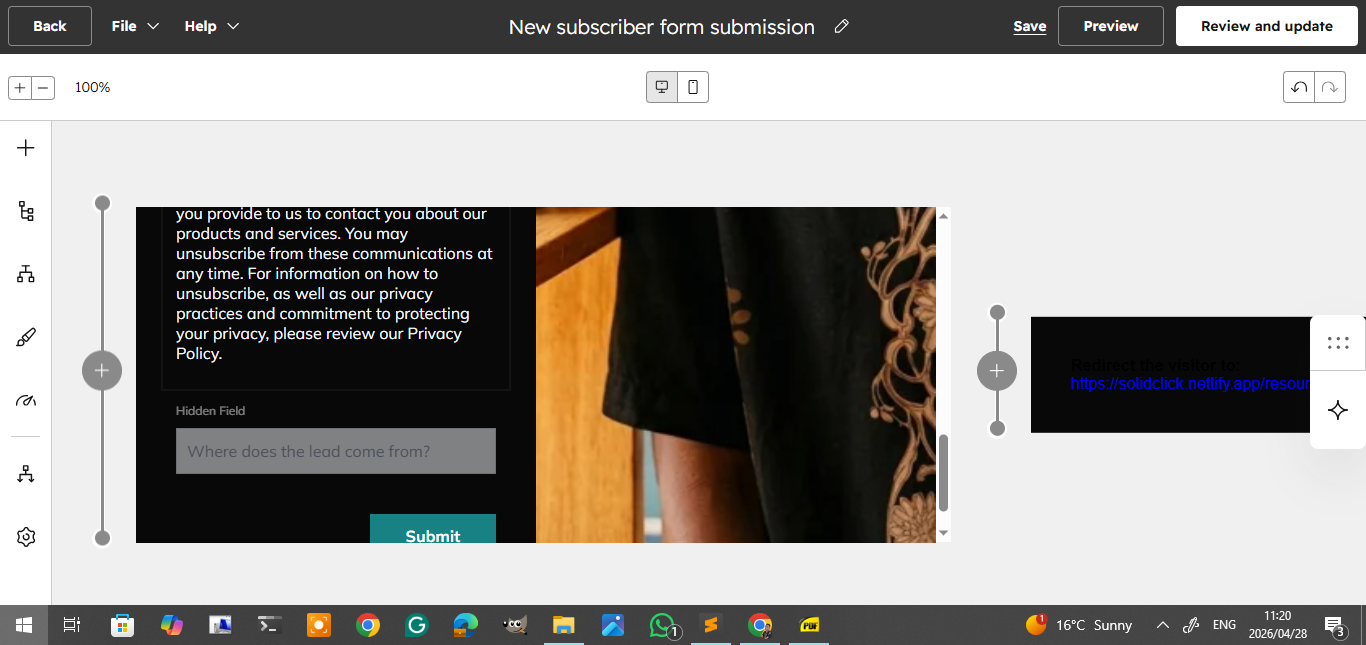
🔗 UTM / URL Parameter Setup
URL parameters used to populate hidden field: lead_source={{campaign.name}}&ad_name={{ad.name}}&utm_medium=paid_social&utm_source=facebook. Enables full channel attribution (YouTube, Facebook, Organic, etc.)
Email Nurturing Sequence
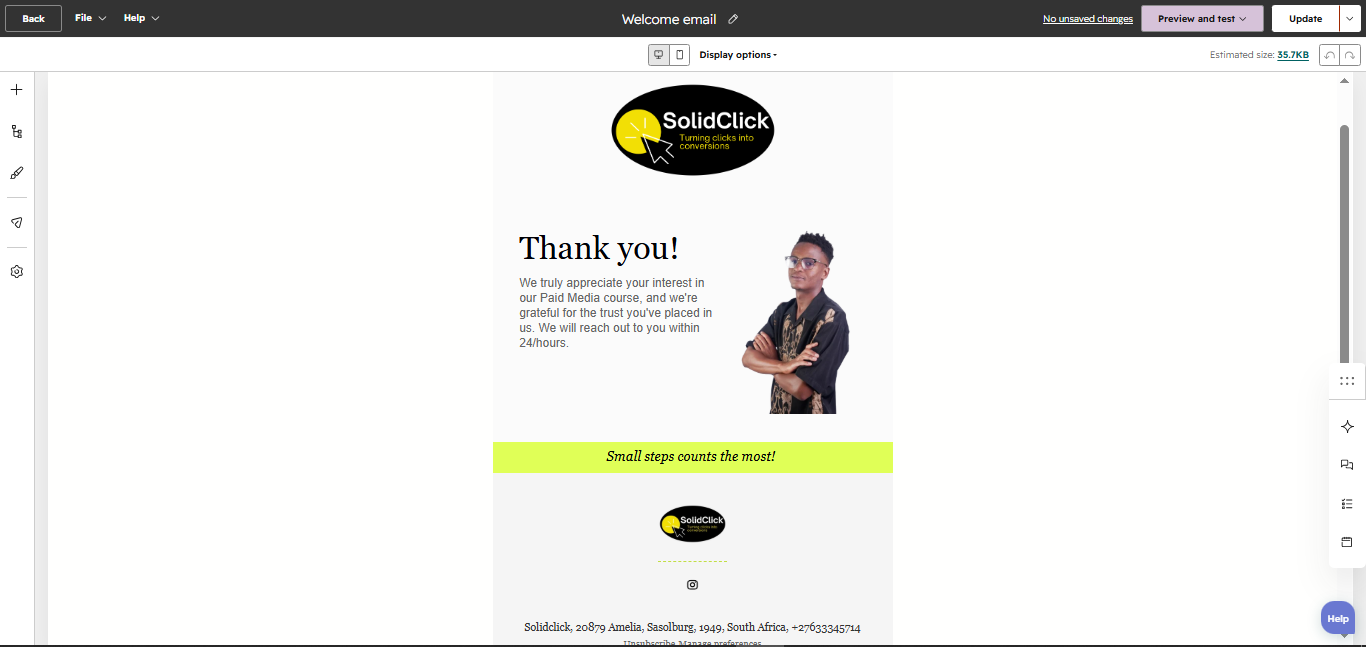
📧 Welcome Email
💡 Value Email
🎁 Offer Email (20% off)
Marketing workflow vs. Zapier customer workflow
Lead = link click, not form fill
Real purchase → Customer stage
Hidden field + UTM tracking
🧠 Key Strategy Notes & Outcome
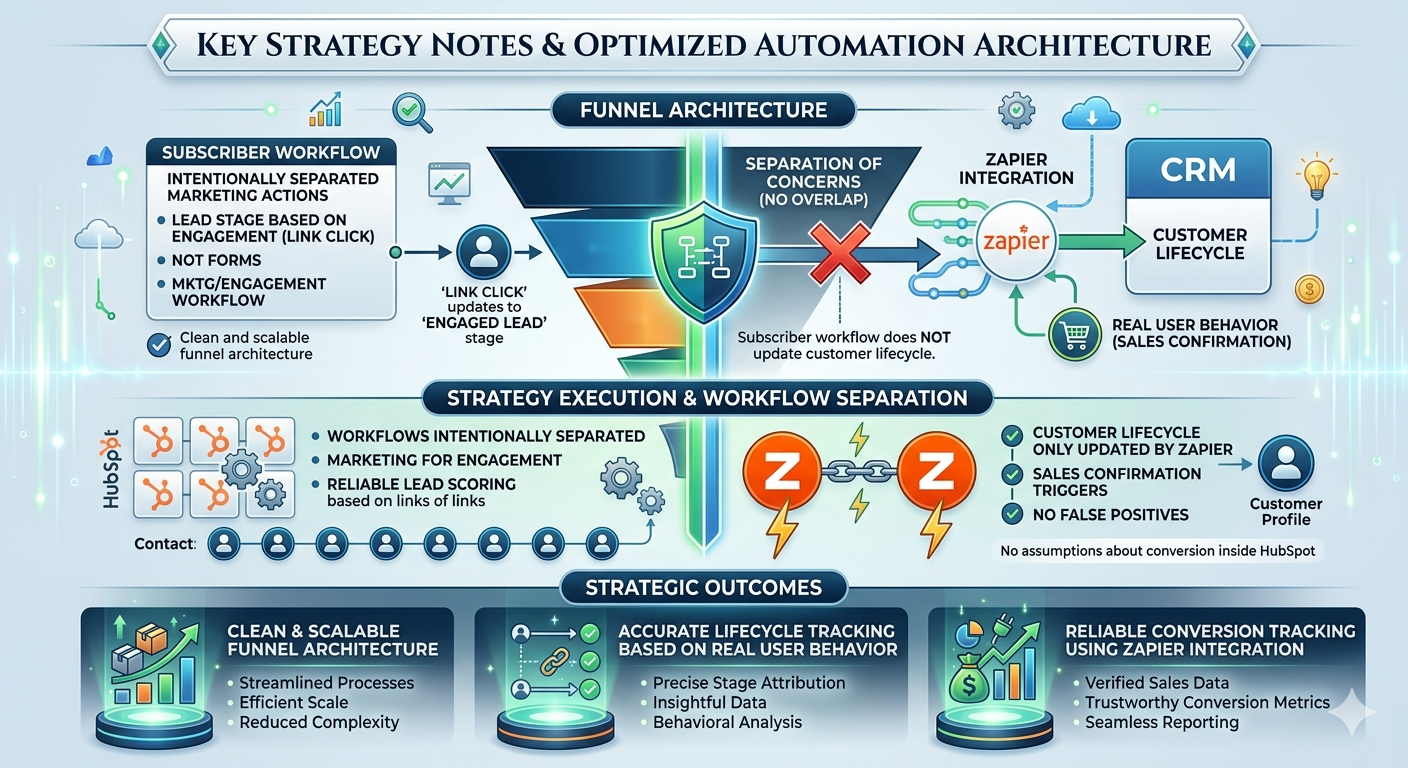
- Separation of concerns: Subscriber workflow does NOT update customer lifecycle. Customer lifecycle is ONLY updated by Zapier.
- No assumptions about conversion inside HubSpot: Workflows intentionally separated – marketing for engagement, Zapier for sales confirmation.
- Lead stage based on engagement (link click), not forms.
- Outcome: Clean and scalable funnel architecture, accurate lifecycle tracking based on real user behavior, reliable conversion tracking using Zapier integration.
Ready for Professional HubSpot Automation?
Complete implementation: workflows, lifecycle stages, Zapier integrations, attribution tracking, and email nurturing sequences.
Get Complete Automation Strategy →Workflow design, Zapier bridge, lead scoring, and CRM configuration.